Phase 2: Authentication 🔐
This phase documents the user entry point, including login, registration, and password recovery, alongside the core Firebase Auth service.
🖼️ UI Reference
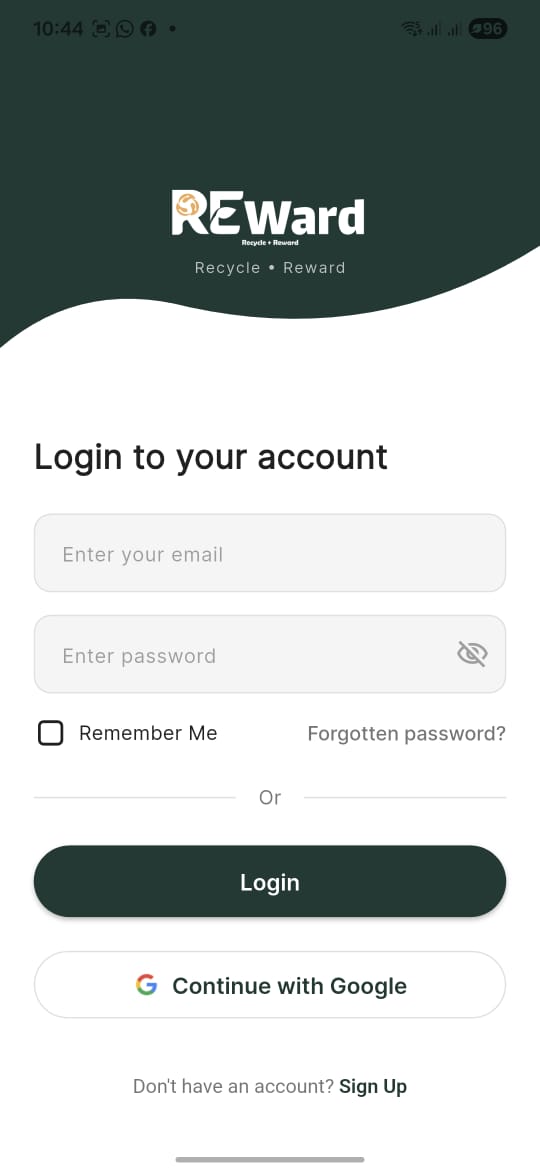 {: .mobile-frame }
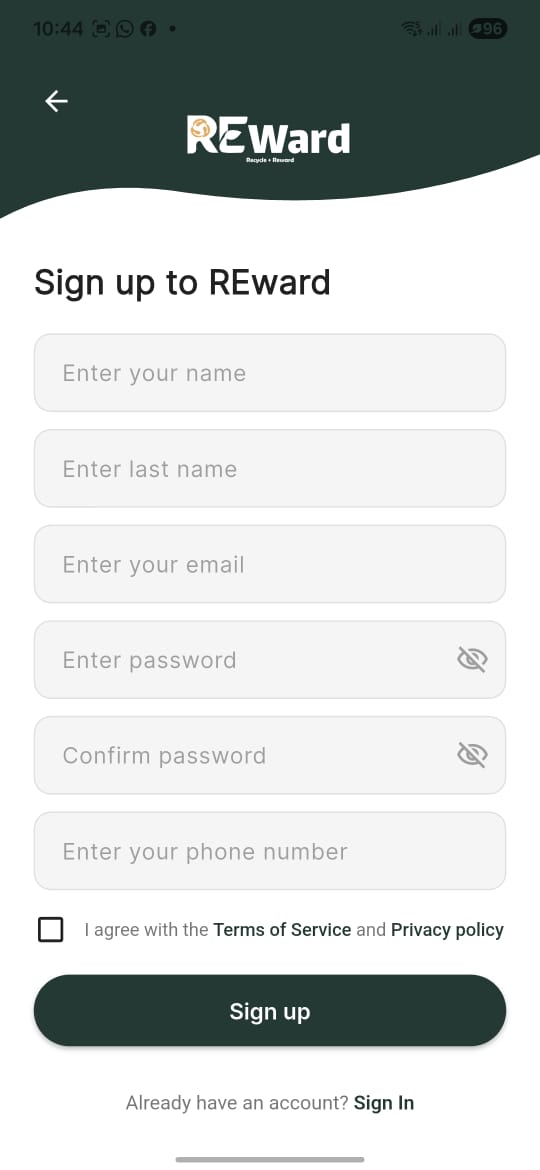 {: .mobile-frame }
🔐 Login Screen (login_screen.dart)
This screen provides a modern, curved UI for user authentication.
Key Features:
- Email/Password Auth: Core authentication method.
- Google Sign-In: Integrated via
google_sign_inpackage. - Validation: Real-time email format and password strength validation.
- Persistence: "Remember Me" functionality to stay logged in.
📝 Signup Screen (signup_screen.dart)
Handles new user registration and data initialization.
Logic Flow:
- User enters Name, Email, Phone, and Password.
- App validates that passwords match and T&Cs are accepted.
FirebaseAuthService.register()is called to create the account.- A new user document is created in Firestore with
0initial points.
🔑 Forgot Password
Multi-step recovery process using OTP (One-Time Password). 1. Request: User enters email. 2. Verify: User enters 6-digit PIN. 3. Reset: User sets a new password.
⚙️ Auth Service (firebase_auth_service.dart)
The core service managing user state. It uses the firebase_auth package and interacts with the users collection in Firestore.
Key Methods:
signInWithEmail(): Authenticates via Firebase.signOut(): Clears local session and provider state.updateProfile(): Synchronizes user metadata with Firestore.